To start using Vyapar TaxOne with your Tally company, follow these steps to subscribe and synchronize the data.
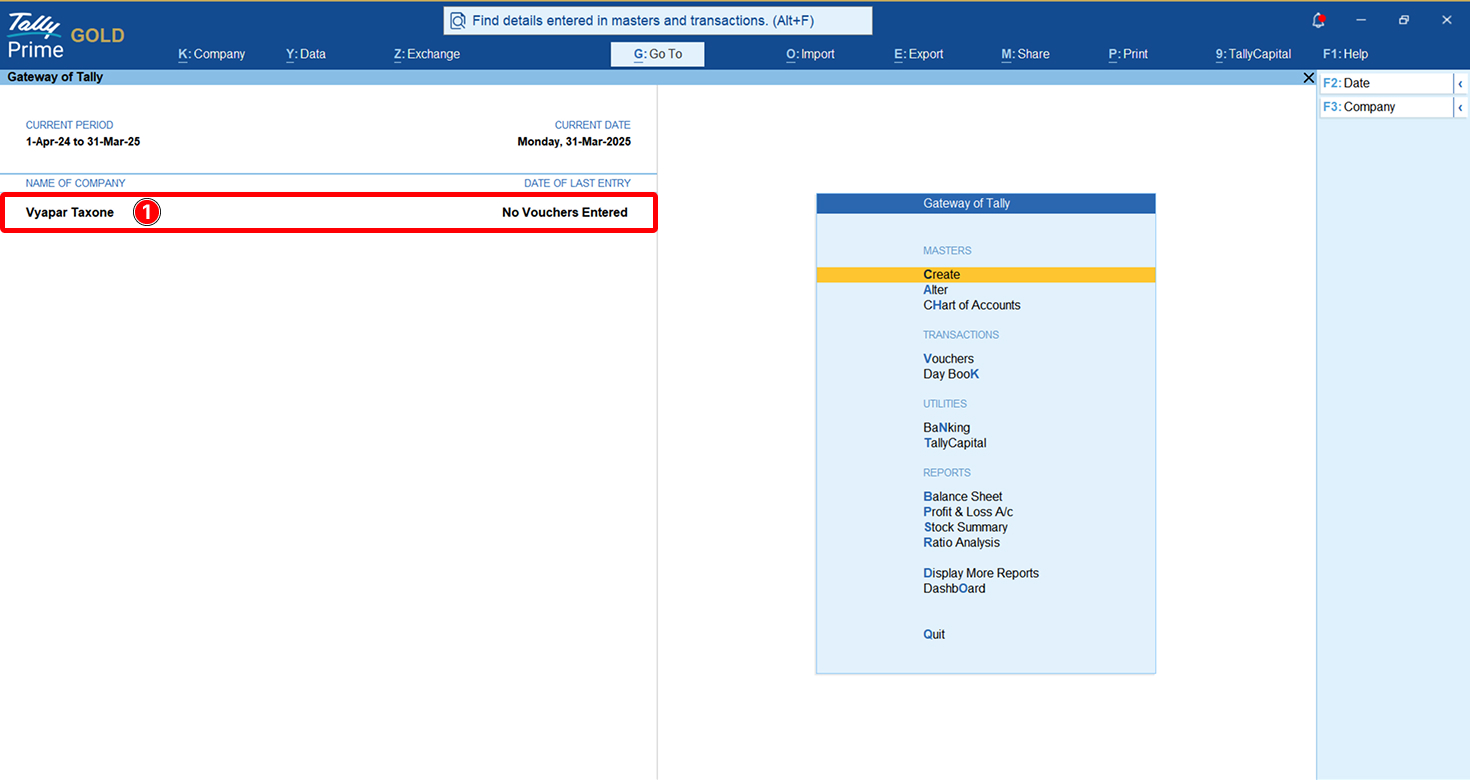
Step 1: Open the Company in Tally
Open the company you want to work with in Tally and make sure it is selected, as shown in the image above.
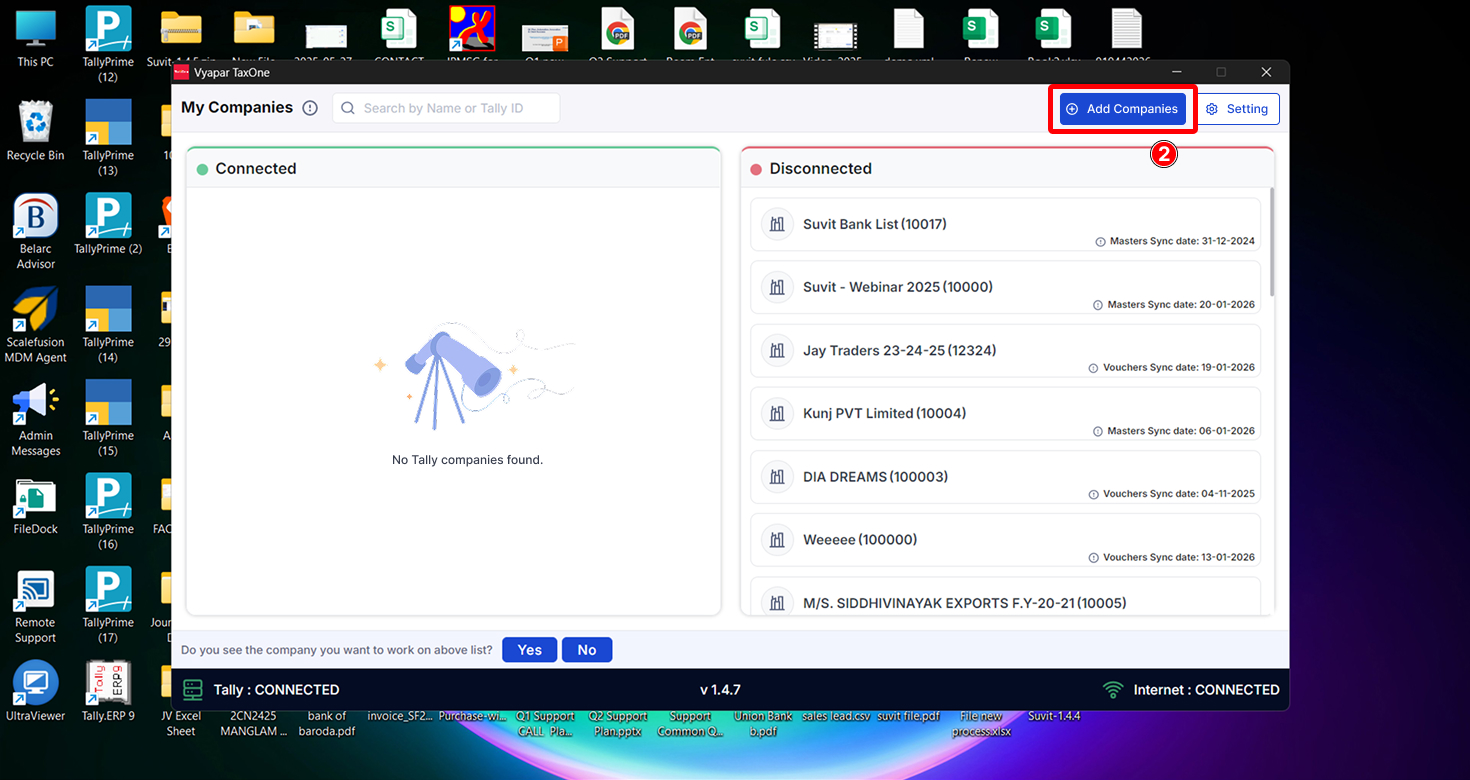
Step 2: Add company
Open Vyapar TaxOne Desktop Application (you can find the application on desktop)
Go to "Add Companies" in your Vyapar TaxOne Desktop Application.
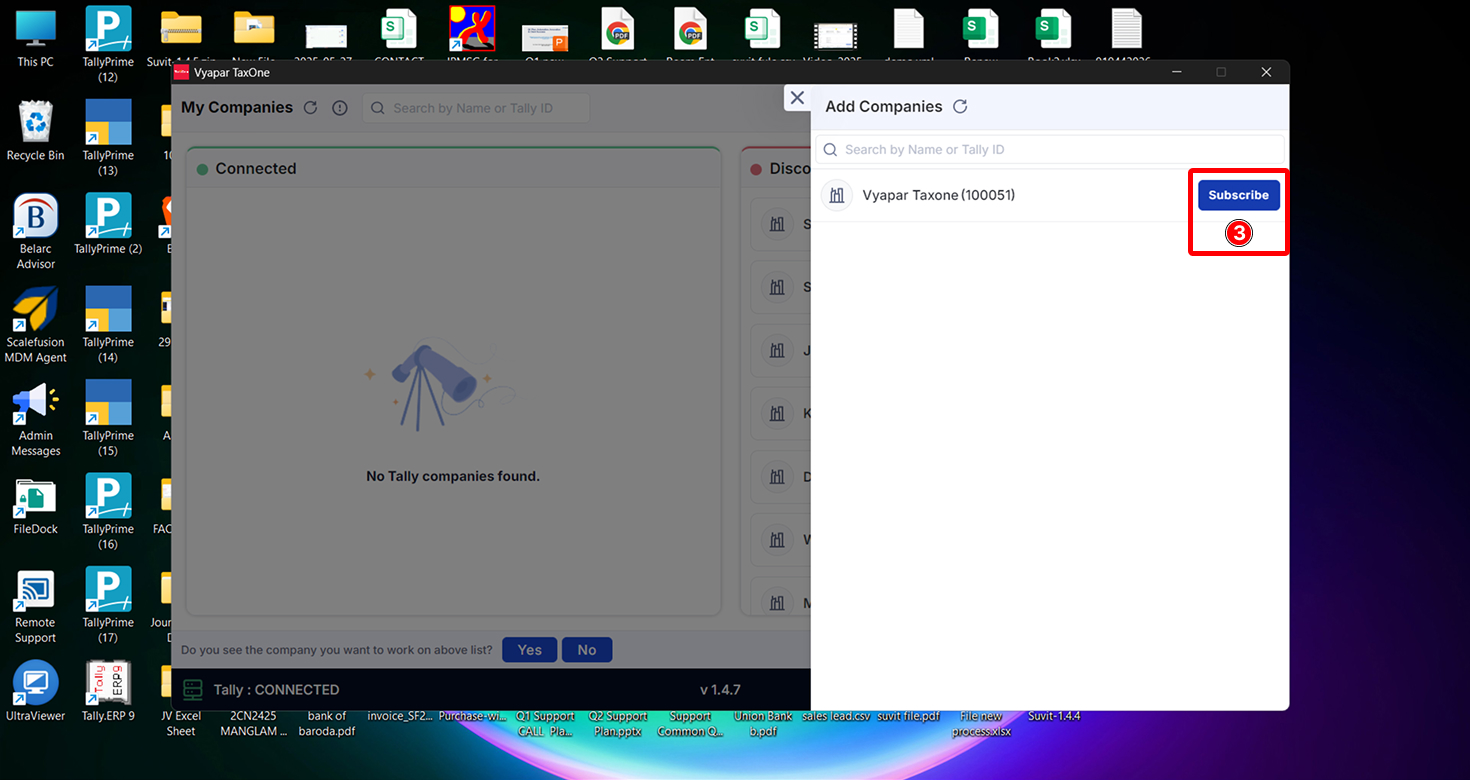
Step 3: Subscribe company
Click on Subscribe Button to add.
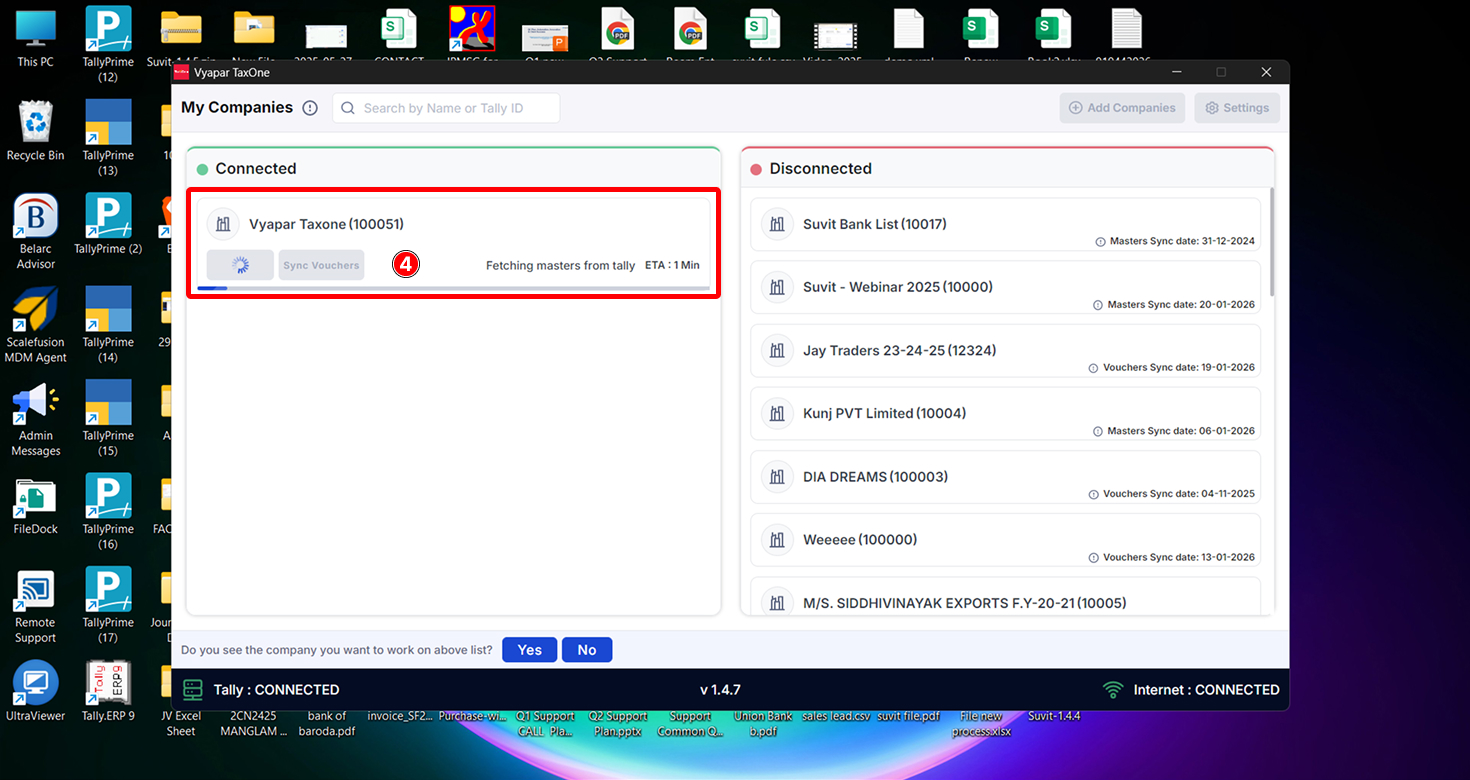
Step 4: Wait for Synchronization
Once you subscribe to the company, it will appear under "My Companies" as shown above.
The sync will start automatically for the first time. Wait a few moments for the synchronization to get complete.
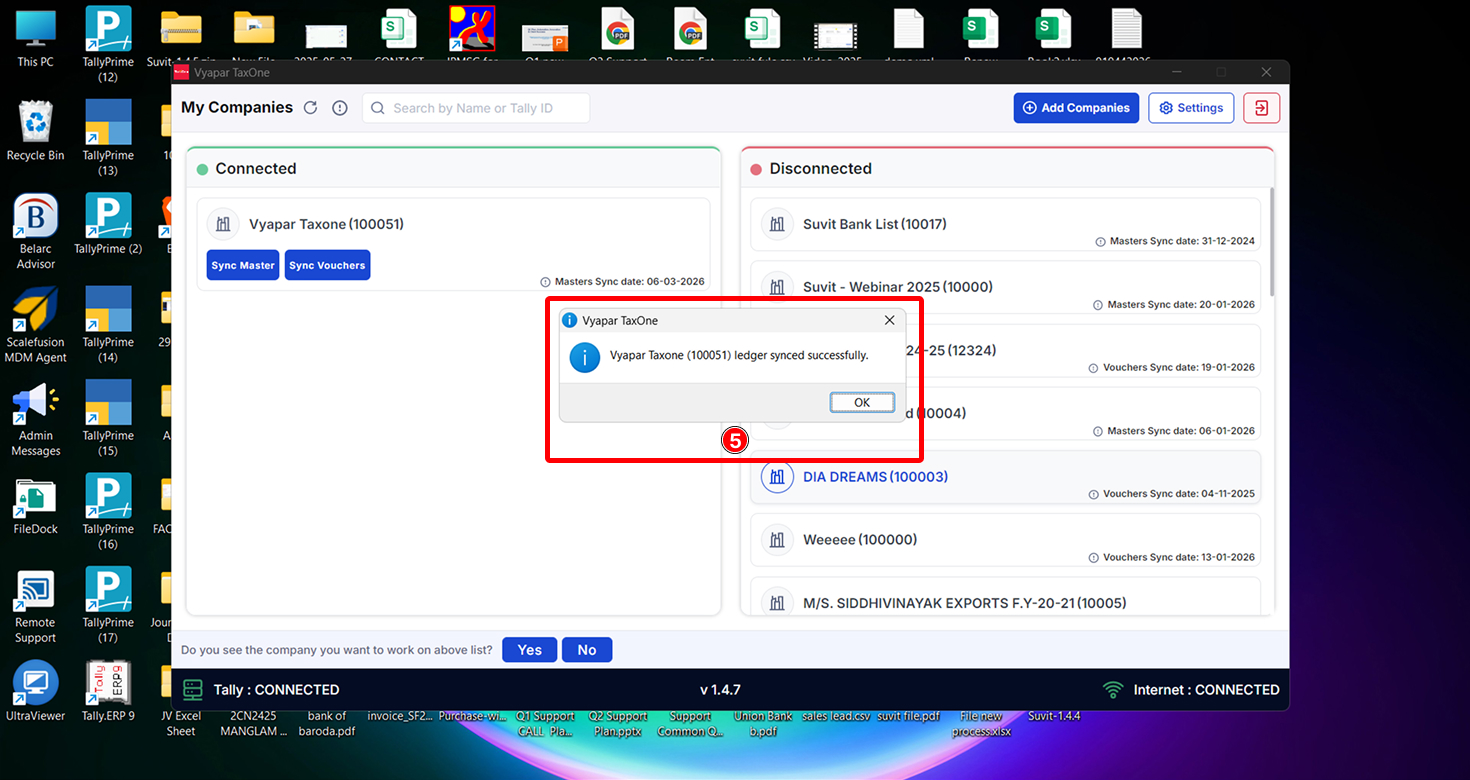
Step 5: Confirmation of Sync
After the sync is done, you’ll see a confirmation message like in the image above. This means your Tally ledgers are now synced with Vyapar TaxOne, and you can use them while processing data.
Now, you can begin uploading your documents in the desired modules and process the data in Tally.