
Vyapar TaxOne’s “Secondary User Reports” feature lets you monitor activities of secondary users easily. Track user actions and maintain control from a central dashboard.
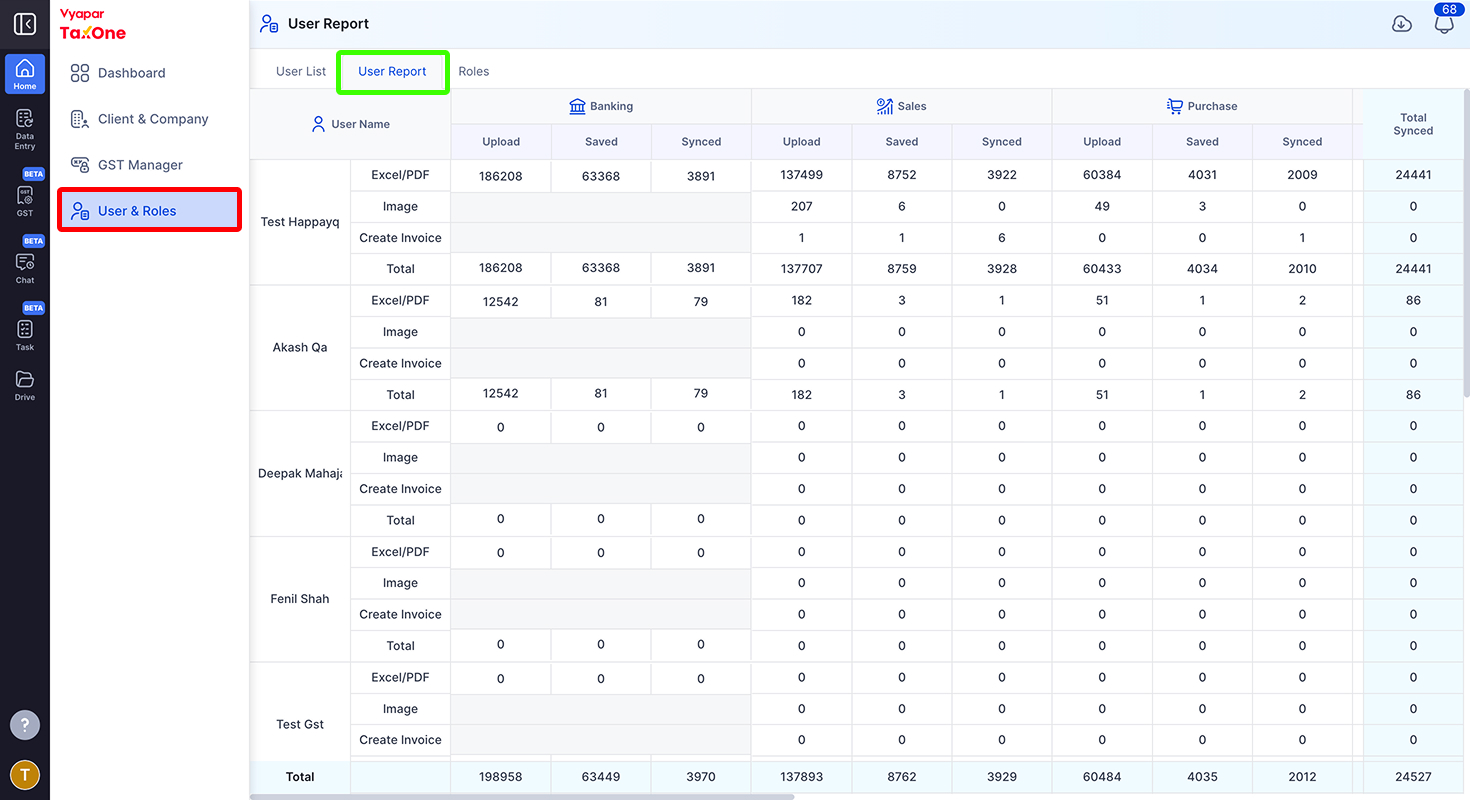
Click on Users from the left menu.
Within the "Users" section, you will find a tab labeled "User Report". This tab is where you can access and review the secondary user reports. Click on the "User Report".
In conclusion, Vyapar TaxOne's feature offers a powerful tool for tracking and monitoring the activities of secondary users. By following these simple steps, you can easily access and review these reports, gaining a comprehensive understanding of their contributions and interactions with the platform. This, in turn, helps to enhance efficiency, accountability, and data management practices within your Vyapar TaxOne workspace.
Vyapar TaxOne Activity Log - How it works Learn more
AI Weapon for Financial Soldiers