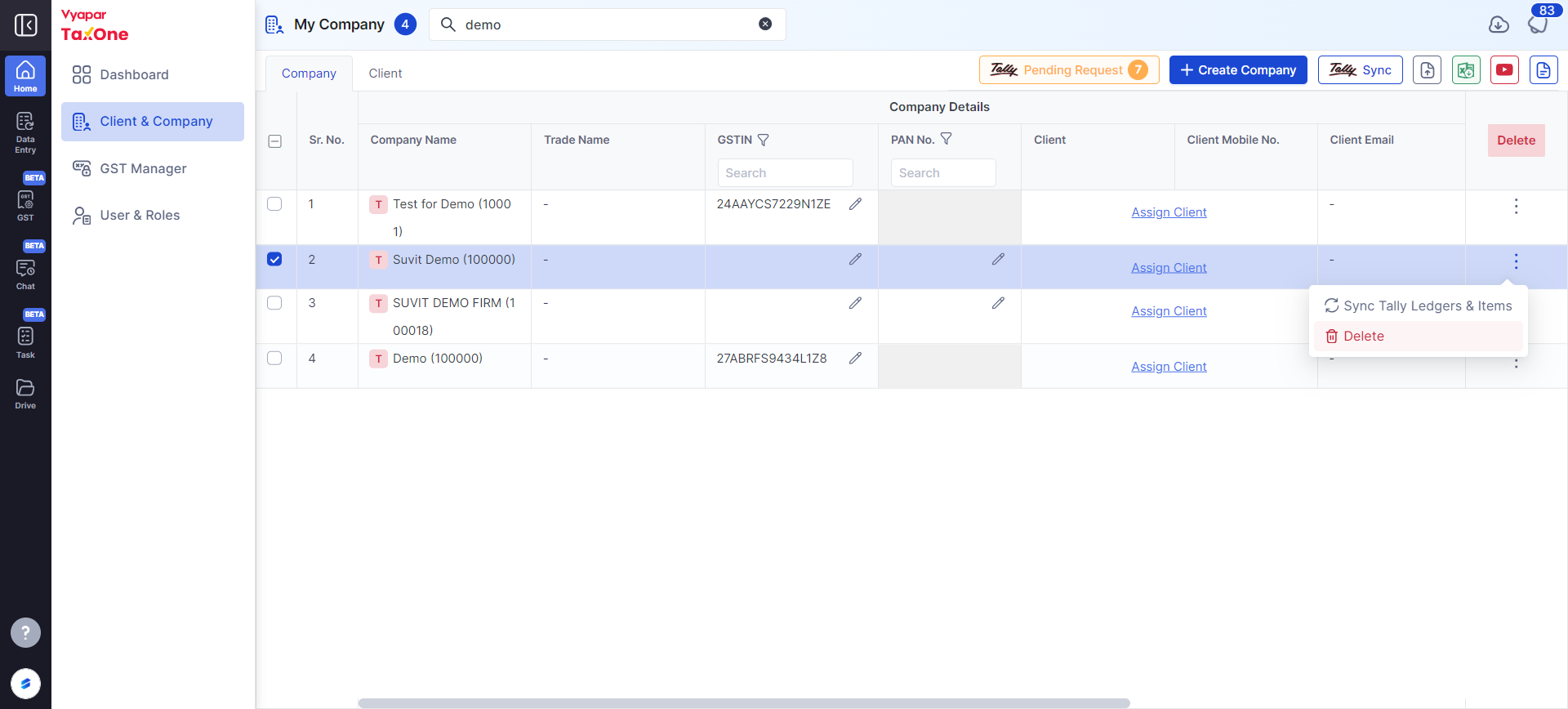
To delete a wrongly or unused subscribed company, go to the "Company" tab on the left menu in Vyapar TaxOne and remove the desired company from your list.
If by mistake you have subscribed a company and you do not require the same, you can delete it and get the credit back, But, it has to be unused.
If you have made even 1 transaction transfer from Vyapar TaxOne to tally, it will not be deleted.
For deleting a company, go to "My company" in your Vyapar TaxOne web login, then look for the company you want to delete, in the last there will be an option of delete under "Action" column, refer the below image: