How to delete uploaded file in Vyapar TaxOne
If you have uploaded a wrong file in Vyapar TaxOne, you can delete it. This article will help you understand the steps of the deleting process of a file.
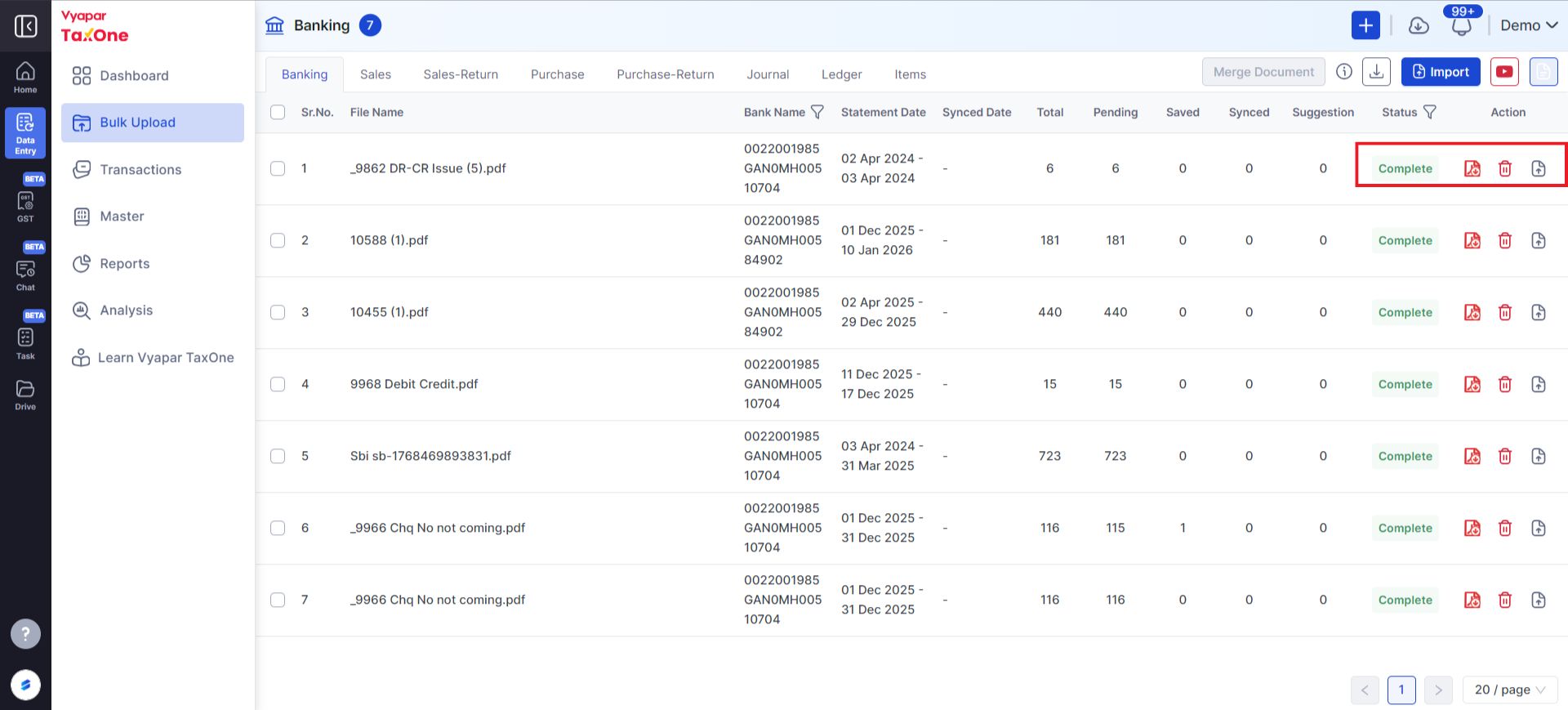
How to Delete Uploaded File in Vyapar TaxOne
Step 1
- One cannot delete the uploaded file if the document status is Processing, as shown in the image below.

Step 2
- You can delete the file if the Delete button is enabled, as shown in the image above.
Note: If entries are in process, you cannot delete the uploaded file. Please wait until you receive the transaction successful message.