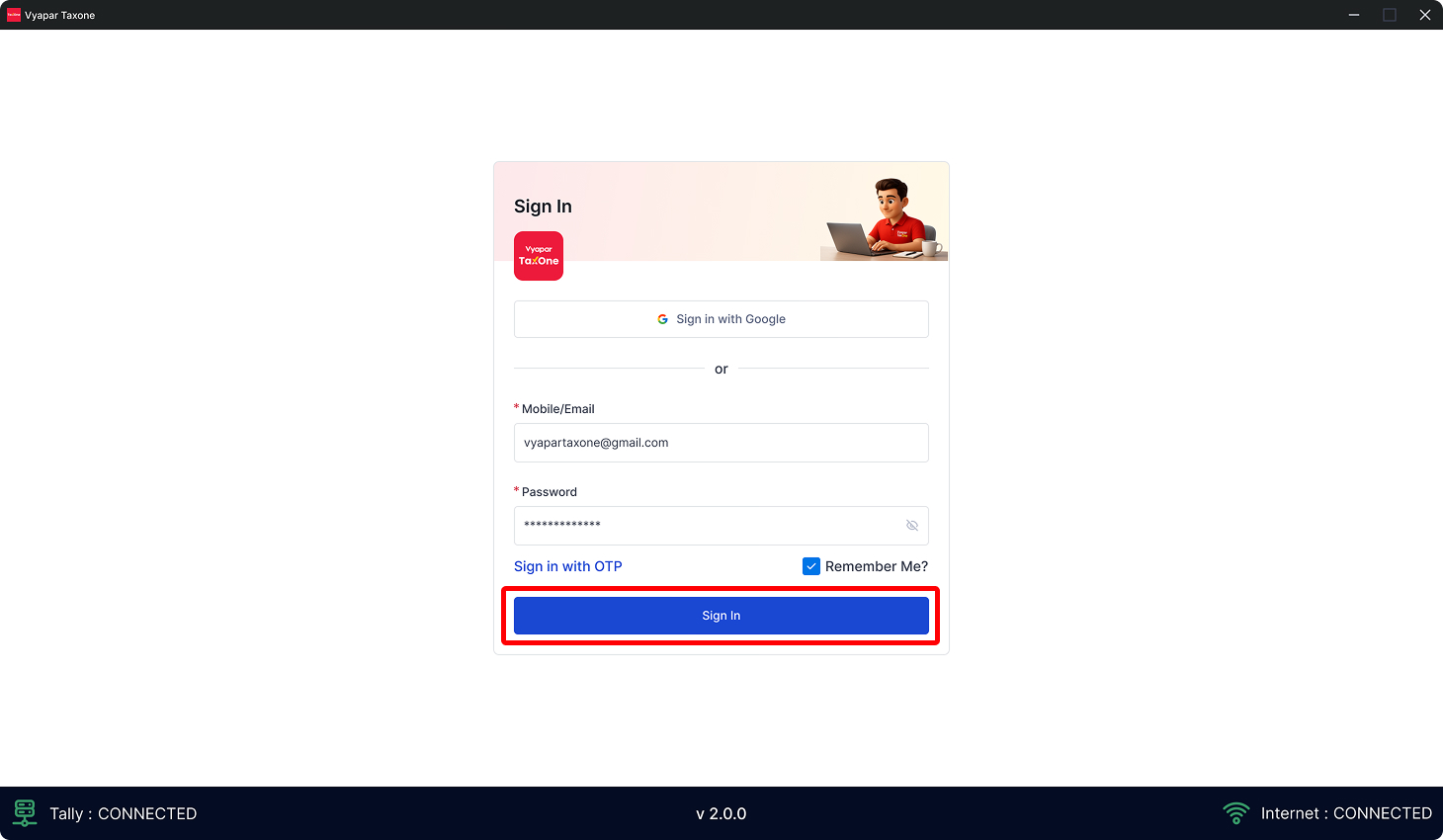
Install Vyapar TaxOne desktop (Tally connector) application.

The Vyapar TaxOne Connector acts as a bridge between your Tally software and Vyapar TaxOne, ensuring seamless data processing.

Video Guide:

Instructions:

  • By default 64 Bit application will be download automatically.

  • How to check the system is 32 bit or 64 bit

  • To download 32-bit Vyapar TaxOne Desktop Application kindly e-mail us on support@taxone.vyapar.com to receive the download link.
Step 1: Download Connector

2.webp

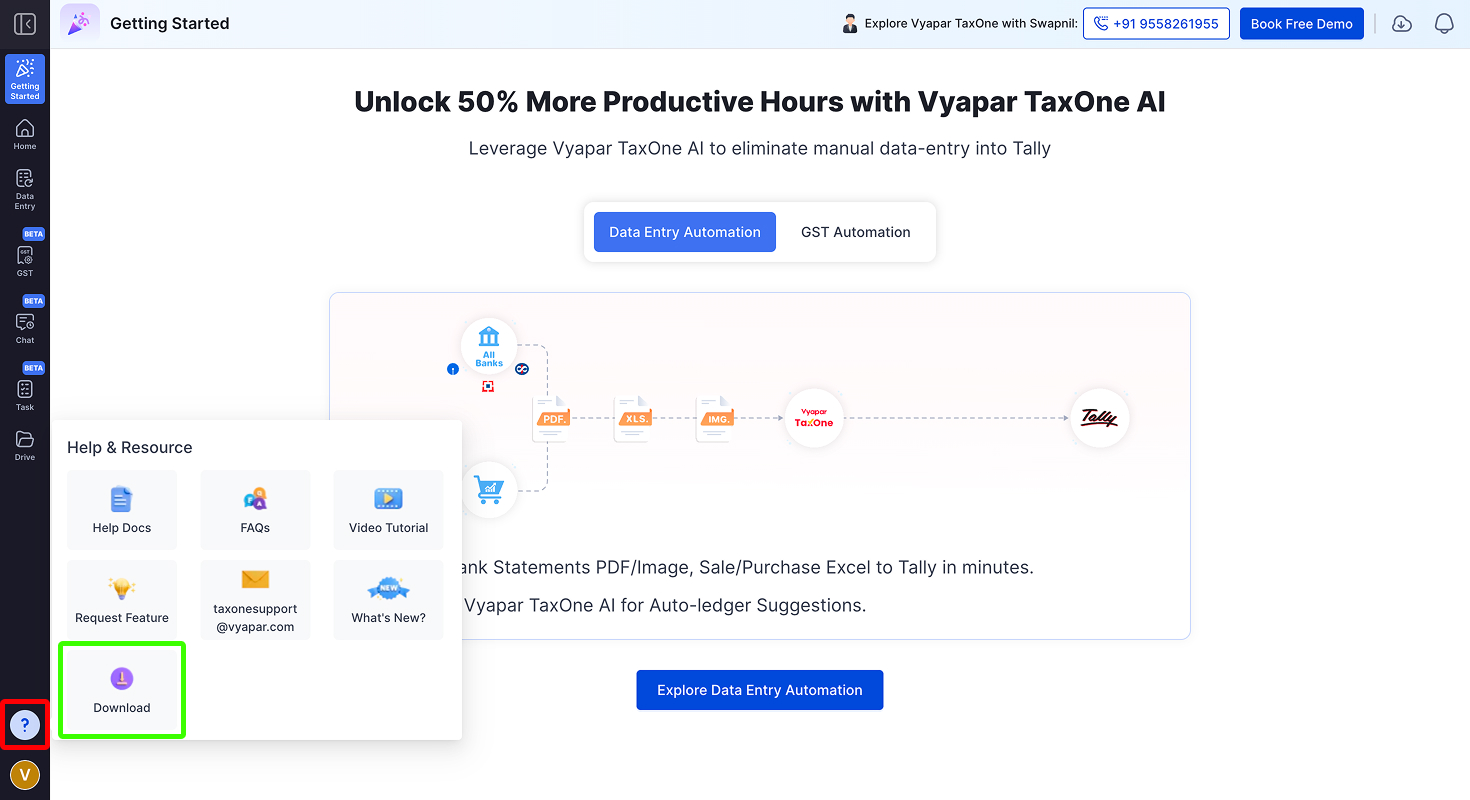
  • Login into Vyapar TaxOne
  • Go to Help & Resources
  • Click on Download

Step 2: Installation

3.webp

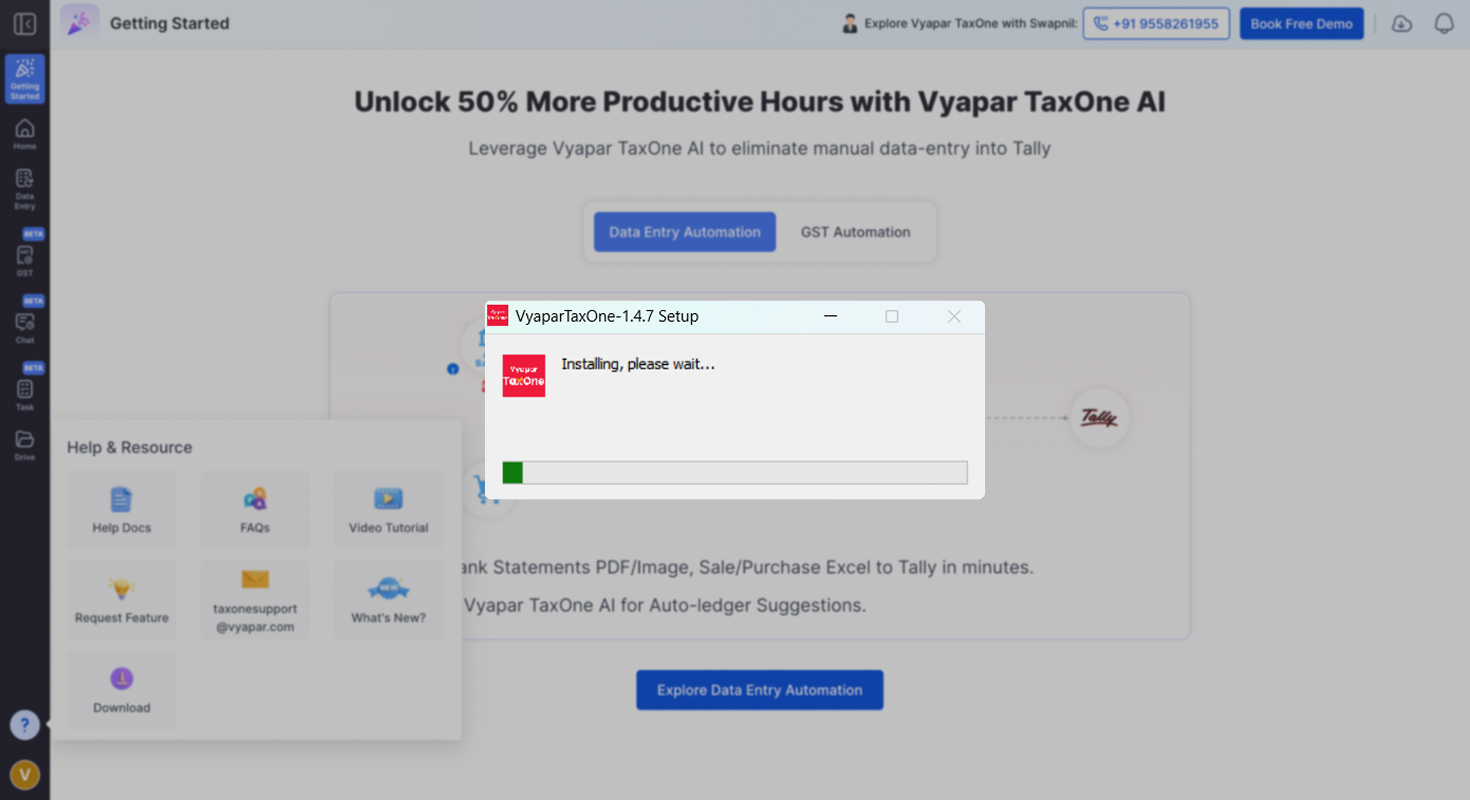
  • Double-click the on downloaded file(application)
  • Click "Run" if prompted and wait for the installation to complete.

Step 3: Log In

Apk Image.png

  • Enter your Vyapar TaxOne Username (Mobile number or E-mail id) and Password.
**Note:** Follow any on-screen instructions to configure your Tally with Vyapar TaxOne after successful login.

You may find this useful :